
Lexus ES: System Diagram
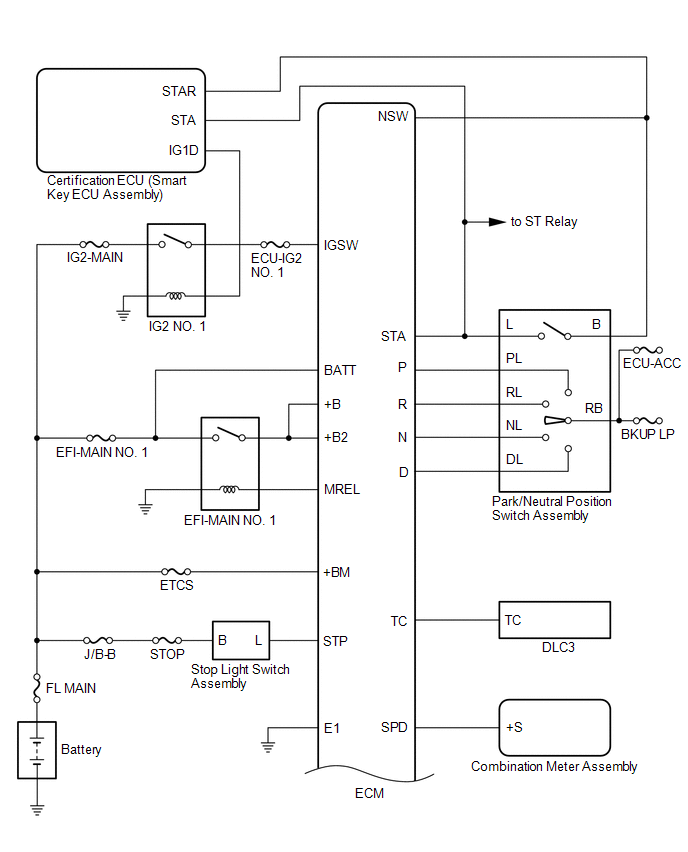
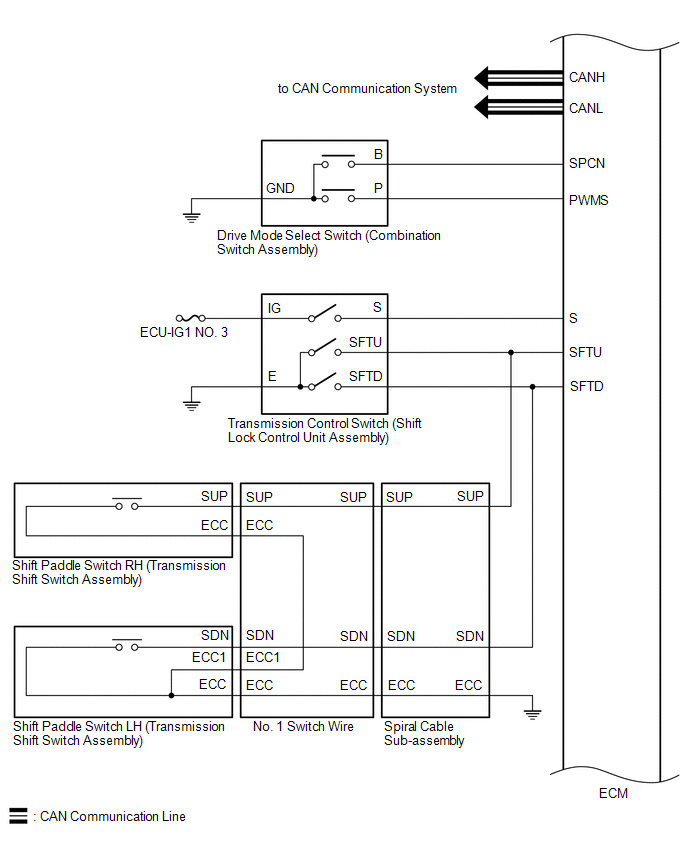
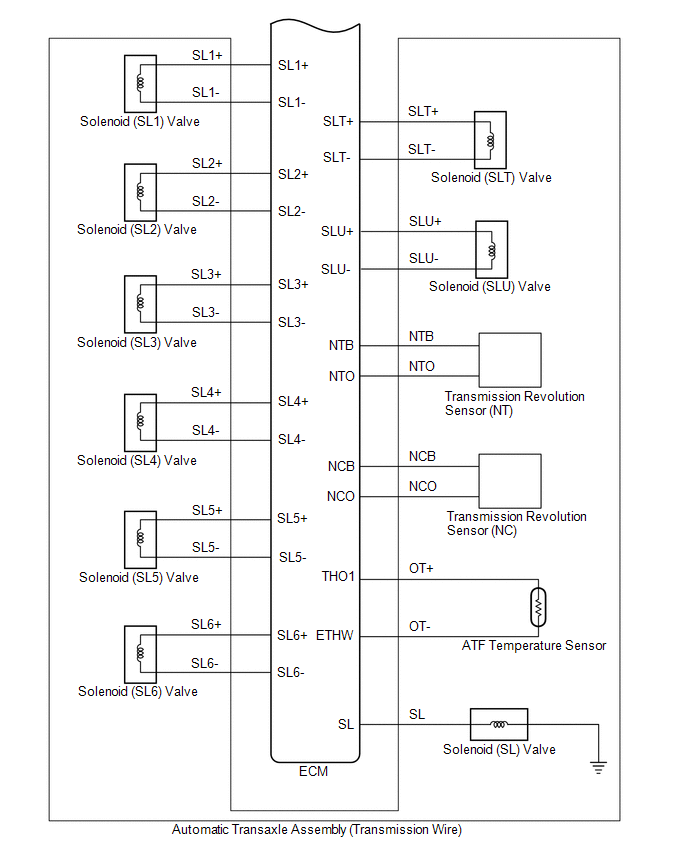
SYSTEM DIAGRAM
READ NEXT:
 System Diagram
SYSTEM DIAGRAM
Terminals Of Ecm
TERMINALS OF ECM ECM HINT: The standard voltage and resistance of each ECM terminal is shown in the table below. In the table, first follow the information under "Condition". Look under "Terminal No.
Transmission Control Switch Circuit
DESCRIPTION When the shift lever is in S and moved toward "-" or "+", it is possible to select different shift ranges (S1 to S8). Moving the shift lever toward "+" increases the shift range by one, an
SEE MORE:
Driver Side Camera Video Sync Signal Malfunction (C1686)
DESCRIPTION This DTC is stored if the parking assist ECU judges as a result of its self check that a synchronization problem is occurring in the image signal sent from the driver side television camera assembly to the parking assist ECU. DTC No. Detection Item DTC Detection Condition Troubl
Hybrid/EV Battery Positive Contactor Circuit Short to Auxiliary Battery or Open (P0AD915)
DESCRIPTION Refer to the description for DTC P0AE411. Click here DTC No. Detection Item DTC Detection Condition Trouble Area MIL Warning Indicate P0AD915 Hybrid/EV Battery Positive Contactor Circuit Short to Auxiliary Battery or Open Open or short to +B in the SMRB circuit: Pr
© 2016-2026 Copyright www.lexguide.net
