
Lexus ES: Stereo Component Amplifier
Components
COMPONENTS
ILLUSTRATION
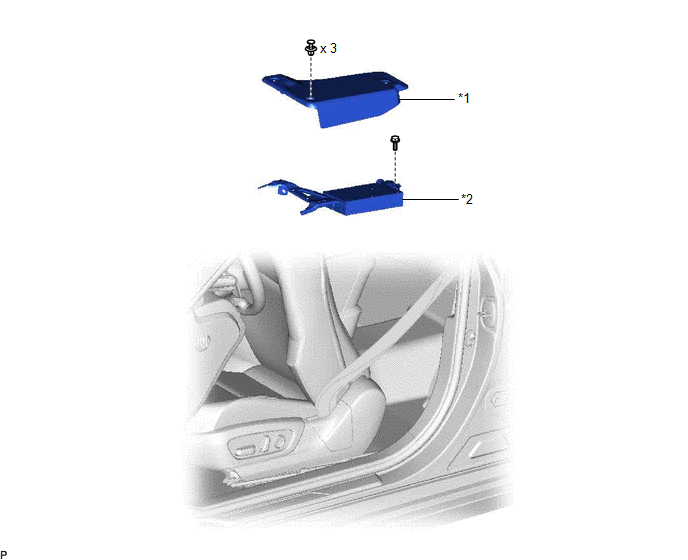
| *1 | AUDIO AMPLIFIER COVER | *2 | STEREO COMPONENT AMPLIFIER ASSEMBLY WITH BRACKET |
ILLUSTRATION
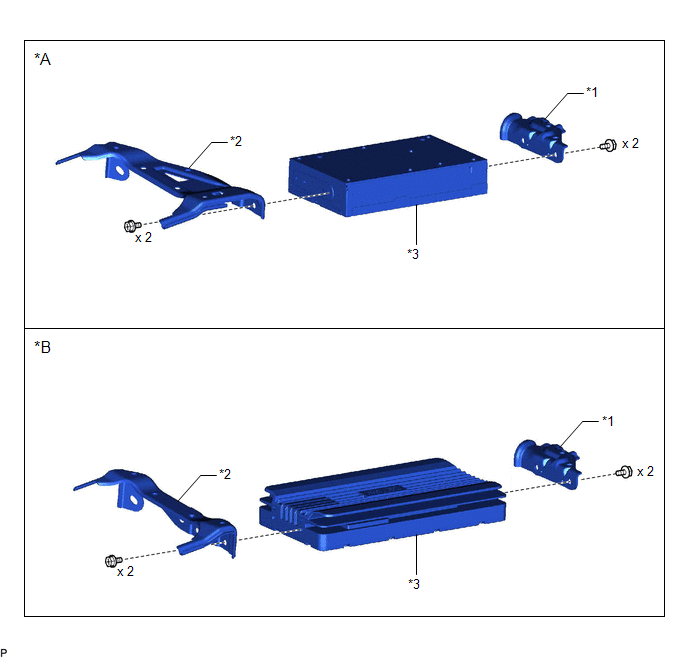
| *A | for 10 Speakers | *B | for 17 Speakers |
| *1 | NO. 1 AMPLIFIER BRACKET | *2 | NO. 2 AMPLIFIER BRACKET |
| *3 | STEREO COMPONENT AMPLIFIER ASSEMBLY | - | - |
Installation
INSTALLATION
PROCEDURE
1. INSTALL STEREO COMPONENT AMPLIFIER ASSEMBLY
2. INSTALL NO. 1 AMPLIFIER BRACKET
(a) Install the No. 1 amplifier bracket with the 2 screws.
3. INSTALL NO. 2 AMPLIFIER BRACKET
(a) Install the No. 2 amplifier bracket with the 2 screws.
4. INSTALL STEREO COMPONENT AMPLIFIER ASSEMBLY WITH BRACKET
(a) Operate the slide and vertical power seat switch knob and move the front seat assembly to the foremost position.
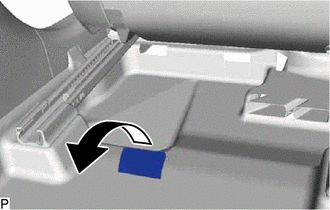
| (b) Turn back the front floor carpet assembly as shown in the illustration. |
|
(c) Engage the 2 guides and temporarily install the stereo component amplifier assembly with bracket as shown in the illustration.
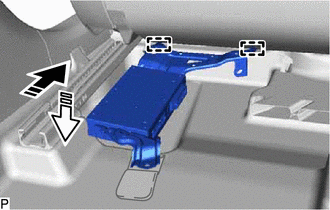
.png) | Install in this Direction (1) |
.png) | Install in this Direction (2) |
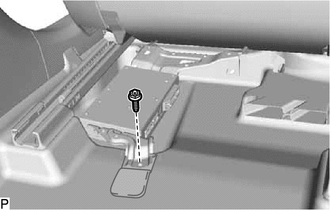
(d) Install the stereo component amplifier assembly with bracket with the bolt.
| (e) Return the front floor carpet assembly to its original position as shown in the illustration. |
|
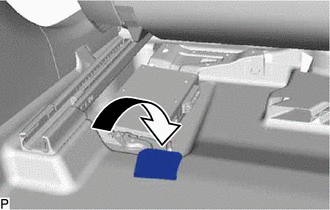
(f) Engage the clamp.
(g) Connect each connector.
5. INSTALL AUDIO AMPLIFIER COVER
| (a) Install the audio amplifier cover with the 3 clips. HINT: Install the clips in the order shown in the illustration. |
|
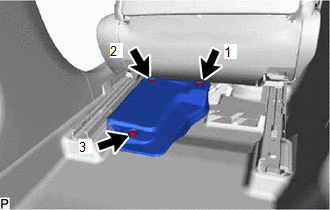
Removal
REMOVAL
PROCEDURE
1. REMOVE AUDIO AMPLIFIER COVER
(a) Operate the slide and vertical power seat switch knob and move the front seat assembly to the foremost position.
| (b) Remove the 3 clips and audio amplifier cover. |
|
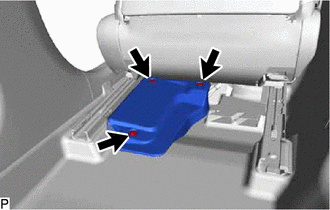
2. REMOVE STEREO COMPONENT AMPLIFIER ASSEMBLY WITH BRACKET
| (a) Disconnect each connector. |
|
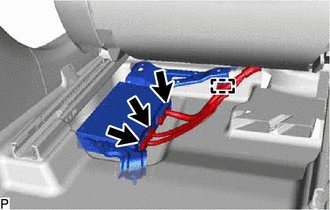
(b) Disengage the clamp.
| (c) Turn back the front floor carpet assembly as shown in the illustration. |
|
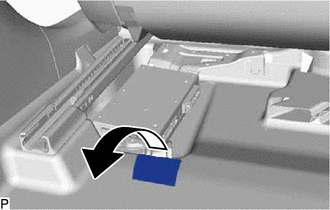
| (d) Remove the bolt. |
|
(e) Disengage the 2 guides and remove the stereo component amplifier assembly with bracket as shown in the illustration.
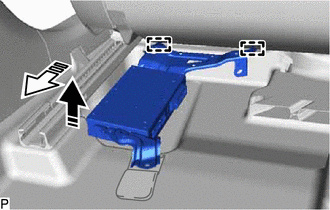
.png) | Remove in this Direction (1) |
.png) | Remove in this Direction (2) |
3. REMOVE NO. 2 AMPLIFIER BRACKET
| (a) Remove the 2 screws and No. 2 amplifier bracket. |
|
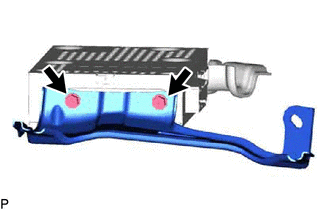
4. REMOVE NO. 1 AMPLIFIER BRACKET
| (a) Remove the 2 screws and No. 1 amplifier bracket. |
|
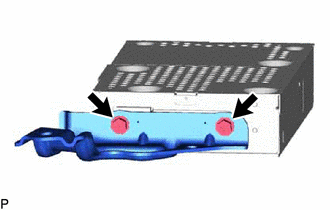
5. REMOVE STEREO COMPONENT AMPLIFIER ASSEMBLY
READ NEXT:
 Components
COMPONENTS ILLUSTRATION *1 CENTER INSTRUMENT CLUSTER FINISH PANEL SUB-ASSEMBLY *2 INSTRUMENT PANEL FINISH PANEL END LH *3 INSTRUMENT PANEL FINISH PANEL END RH *4 NO. 1 STEREO JACK
Installation
INSTALLATION PROCEDURE 1. INSTALL NO. 1 STEREO JACK ADAPTER ASSEMBLY (a) Engage the 2 claws to install the No. 1 stereo jack adapter assembly as shown in the illustration. Install in this Direc
SEE MORE:
Removal
REMOVAL CAUTION / NOTICE / HINT The necessary procedures (adjustment, calibration, initialization or registration) that must be performed after parts are removed and installed, or replaced during steering pad switch assembly removal/installation are shown below. Necessary Procedures After Parts Remo
Lost Communication with Brake System Control Module (U0129)
DESCRIPTION The tire pressure warning ECU and receiver receives signals from the skid control ECU (brake actuator assembly) via CAN communication system. DTC No. Detection Item DTC Detection Condition Trouble Area Note U0129 Lost Communication with Brake System Control Module Lost
