
Lexus ES: Message Not Displayed on Multi-information Display When AUTO Function Set to ON/OFF
Lexus ES (XZ10) Service Manual / Brake / Parking Brake / Electric Parking Brake System (for Gasoline Model) / Message Not Displayed on Multi-information Display When AUTO Function Set to ON/OFF
DESCRIPTION
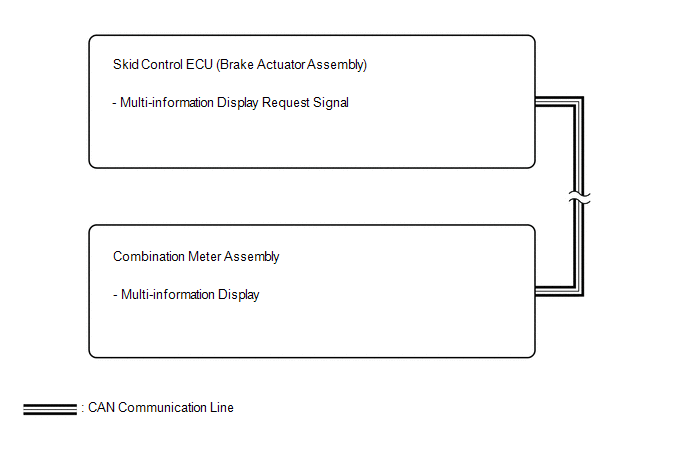
When the AUTO function is set to ON/OFF, a message is displayed on the multi-information display in the combination meter assembly.
WIRING DIAGRAM
CAUTION / NOTICE / HINT
NOTICE:
- The electric parking brake may still operate up to 20 seconds after the engine switch is turned off. Before disconnecting connectors or fuses, turn the engine switch off and wait 20 seconds or more.
-
After replacing the skid control ECU (brake actuator assembly), perform acceleration sensor zero point calibration and store system information memorization.
Click here
.gif)
- When replacing the skid control ECU (brake actuator assembly), operate the electric parking brake switch assembly, as the parking brake indicator light (red) blinks when the engine switch is first turned on (IG).
PROCEDURE
| 1. | CHECK OPERATION OF AUTO FUNCTION |
(a) Check that the AUTO function operates when the operating conditions are met.
HINT:
Do not use the multi-information display to determine whether the AUTO function is operating or not.
| Result | Proceed to |
|---|---|
| The AUTO function operates | A |
| The AUTO function does not operate | B |
| A |  | REPLACE COMBINATION METER ASSEMBLY |
| B | | GO TO Electric Parking Brake System AUTO Function Circuit |
READ NEXT:
 Parts Location
PARTS LOCATION ILLUSTRATION *1 BRAKE ACTUATOR ASSEMBLY - SKID CONTROL ECU *2 ECM *3 NO. 1 ENGINE ROOM RELAY BLOCK AND NO. 1 JUNCTION BLOCK ASSEMBLY - ABS NO. 2 FUSE - - ILLUSTRA
Precaution
PRECAUTION PRECAUTION FOR DISCONNECTING CABLE FROM NEGATIVE BATTERY TERMINAL NOTICE: When disconnecting the cable from the negative (-) battery terminal, initialize the following system(s) after the c
Problem Symptoms Table
PROBLEM SYMPTOMS TABLE HINT:
Use the table below to help determine the cause of problem symptoms. If multiple suspected areas are listed, the potential causes of the symptoms are listed in order of
SEE MORE:
Dtc Check / Clear
DTC CHECK / CLEAR NOTICE: When the diagnosis system is changed from normal mode to check mode or vice versa, all DTCs and freeze frame data recorded in normal mode are cleared. Before changing modes, always check and make a note of DTCs and freeze frame data. HINT:
DTCs which are stored in the hy
Problem Symptoms Table
PROBLEM SYMPTOMS TABLE HINT:
Use the table below to help determine the cause of problem symptoms. If multiple suspected areas are listed, the potential causes of the symptoms are listed in order of probability in the "Suspected Area" column of the table. Check each symptom by checking the suspect
© 2016-2026 Copyright www.lexguide.net
